Reliable PC Repair Shop: Find Trusted Services Nearby
In today’s digital world, your computer isn’t just a device — it’s your work office, entertainment center, photo album, and occasionally your therapist (no judgment). So when something goes wrong, finding a reliable PC Repair Shop becomes a top priority.
Whether you’re dealing with a slow laptop, a desktop that won’t turn on, pop-ups that multiply like rabbits, or internet issues that make you want to “just move to the woods,” this guide will help you understand what to look for in a repair service and how to choose a trustworthy shop near you. If you’re local, i5 Computer Repair in Vancouver, Washington is a strong option for fast, professional help with all your computer repair needs.
Why Finding the Right PC Repair Shop Matters
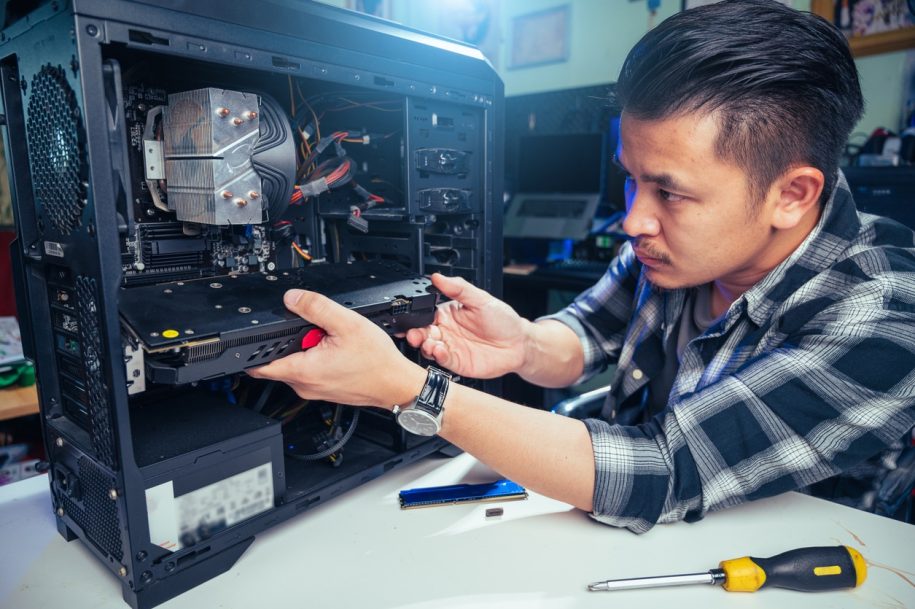
Computers and laptops are complex machines. When something breaks, the issue could be hardware-related, software-related, or even a network problem. A quality PC Repair Shop doesn’t just guess — it diagnoses the real cause and fixes it correctly the first time.
A great repair shop should:
Identify the root cause (not just the symptom)
Clearly explain the problem and solution
Offer practical options based on your budget and timeline
Stand behind the work with a warranty or service guarantee
Common Computer Problems a PC Repair Shop Can Fix
Hardware Problems
Hardware issues affect the physical components of your device and can stop it from functioning properly.
Common hardware problems include:
Broken or flickering screens
Damaged charging ports or power issues
Failing hard drives or SSD problems
Overheating, loud fans, or random shutdowns
Keyboard, trackpad, or internal component failures
Hardware problems can get worse if ignored, so it’s best to have them diagnosed early.
Software Issues
Software problems are often the reason a computer feels slow, unstable, or unpredictable.
Common software issues include:
Viruses, malware, or spyware
Constant pop-ups or browser hijacking
Operating system errors or corrupted files
Programs freezing, crashing, or not opening
Slow startup and sluggish performance
Many of these issues can be fixed quickly with proper diagnostics and professional cleanup.
Network and Connectivity Problems
If you can’t connect reliably to Wi-Fi or the internet, the issue may be your device, your router, your settings, or your ISP — and sorting that out alone can feel like playing detective without a badge.
Network problems include:
Dropped Wi-Fi connections
Slow internet on one device but not others
Printer or shared network access issues
Incorrect network settings or driver problems
A good PC Repair Shop can pinpoint whether the issue is device-related or external — and save you hours of frustration.
How to Find a Trusted PC Repair Shop Near You
When your computer needs fixing, you want a shop that’s both reliable and convenient. Here’s how to find the best options near you without rolling the dice.
1) Search Online with Smart Keywords
Start with searches like:
“PC repair shop near me”
“computer repair services near me”
“laptop repair near me”
“cheap computer repair near me”
“where to fix my computer”
If you’re in the area, searching “i5 Computer Repair in Vancouver Washington” can help you find a local provider with relevant services and proximity.
2) Read Reviews and Look for Patterns
Reviews are incredibly helpful — especially when you read them the right way.
Look for patterns like:
Multiple reviews mentioning honesty and clear communication
Customers praising speed and turnaround time
Consistent feedback about good service and fair pricing
Red flags include repeated complaints about surprise charges, poor communication, or unresolved issues.
3) Check the Shop’s Website and Service List
A professional repair shop will clearly explain what they do and how they help. Look for service pages that mention the most common needs, such as:
Diagnostics and troubleshooting
Virus and malware removal
Data recovery
Hardware repairs and replacements
Upgrades for speed and performance
A clear website often signals a well-organized business — and that’s usually a good thing.
Most Important Services to Look For
Different repair shops specialize in different things. Make sure the PC Repair Shop you choose can handle your specific problem.
Virus Removal
Virus removal is essential if your computer is:
Running unusually slow
Showing pop-ups or redirects
Locking you out of accounts
Acting “possessed” (technically: compromised)
A good shop will remove malware, secure the system, and help prevent future infections.
Data Recovery
Lost files don’t always mean they’re gone forever. Data recovery can help retrieve:
Photos and videos
Documents and work files
Business records and school projects
If your hard drive is failing, time matters — the sooner you bring it in, the better the chances of recovery.
Hardware Upgrades
Sometimes your computer isn’t “broken” — it’s just tired. Upgrades can breathe new life into a device.
Common upgrades include:
SSD upgrades (major speed boost)
RAM upgrades (better multitasking)
System cleanup and optimization
If you want your computer to feel new again without buying a new one, upgrades are often the smartest move.
Why Technician Skill and Certification Matter
The technician is the difference between “fixed” and “kind of fixed but now it makes a new weird noise.”
A trustworthy PC Repair Shop should have technicians with a mix of training, certifications, and hands-on experience.
Certifications to Look For
Certifications like CompTIA A+ or Microsoft-related credentials can indicate the technician has proven knowledge and training. While certifications aren’t everything, they’re a strong sign that the shop takes professionalism seriously.
Experience with Your Type of Device
Ask whether the shop regularly works on your type of computer — especially if you have specific hardware needs, custom builds, gaming PCs, or performance issues.
If you’re searching for i5 Computer Repair in Vancouver, Washington, you’re likely looking for a shop that can handle everyday laptops and desktops as well as more involved PC repair needs.
What to Consider Before Choosing a PC Repair Shop
Cost vs. Quality
Affordable repairs are great — but the cheapest option isn’t always the best. A shop that charges very little may rush the job or skip important steps.
Look for:
Clear estimates
Transparent explanations
No surprise fees
A warranty or guarantee on the repair
Turnaround Time
If you rely on your computer daily, turnaround time matters.
Ask:
Do they offer same-day or next-day service for common repairs?
How long do diagnostics take?
Will parts need to be ordered?
A professional shop will give you realistic timelines — not vague promises.
Location and Convenience
Choosing a local shop makes drop-off and pickup easier, and it often means better personalized service.
If you’re in the area, working with i5 Computer Repair in Vancouver Washington can be a convenient option for fast support without traveling far.
Why Choose i5 Computer Repair in Vancouver, Washington
When you need a PC Repair Shop you can trust, working with a local provider who serves your community makes a difference. i5 Computer Repair in Vancouver, Washington stands out by offering reliable support for a wide range of computer repair needs — whether you’re a home user, student, professional, gamer, or small business.
Common reasons customers choose i5 Computer Repair include:
Clear, honest diagnostics
Help with both hardware and software problems
Virus removal, performance fixes, and system cleanup
Data recovery and upgrade options
Friendly service that keeps things simple and stress-free
PC Repair Shop FAQ
How much does a PC repair shop charge?
Costs depend on the issue, the parts required, and whether the repair is hardware or software-related. Many shops provide diagnostics first, then a clear estimate before repairs begin.
How long does computer repair usually take?
Some issues can be fixed the same day, while others may take 24–72 hours depending on complexity and parts availability.
Can a PC repair shop remove viruses and speed up my computer?
Yes. Virus removal paired with cleanup, updates, and optimization often improves performance significantly.
Should I repair or replace my computer?
A good shop will help you decide based on your device’s age, condition, and what you use it for. In many cases, upgrades like an SSD or RAM can extend a computer’s life for years.
Final Thoughts: Choosing a Reliable PC Repair Shop Made Simple
Finding a dependable PC Repair Shop doesn’t have to be overwhelming. When you understand your computer’s issue, check reviews, compare services, and choose a shop with skilled technicians and transparent pricing, you’ll feel confident you’re making the right call.
And if you’re in the area and want a local team you can trust, i5 Computer Repair in Vancouver, Washington is a strong choice for fast, professional repairs and support.
Your computer runs your life. Make sure the people fixing it know what they’re doing — and won’t treat your hard drive like it owes them money.
Talk With a Reliable PC Repair Shop
A trustworthy recommendation should connect the evidence to the proposed fix and explain reasonable alternatives. Ask what was tested, which costs are approved, how data will be handled, and what happens if the first repair does not resolve the symptom.
i-5 Computers provides clear diagnostics and practical recommendations from its Vancouver shop, serving customers across Clark County.
Explore meet Darren MolineContact i-5 Computers
For additional general guidance, see Google guidance on business reviews.