
Crashes During Games
A game closes to the desktop, freezes, produces an error, or locks the entire computer once graphics or processor load increases.
Gaming PC Repair · Vancouver, WA
Gaming PC repair at i-5 Computers starts with diagnosing systems that crash, restart, overheat, lose display, stutter, run slowly, or fail to boot. Darren Moline tests the likely bottleneck or failing component, explains the evidence, and helps you choose between repair, a focused upgrade, or a new custom build.
Performance Problems Leave Clues
Note the game or workload, how long the PC has been running, any error text, and whether the problem affects one title or the whole system.
A game closes to the desktop, freezes, produces an error, or locks the entire computer once graphics or processor load increases.
The PC suddenly reboots, shuts off, or returns to a black screen without a normal Windows shutdown.
Temperatures climb, fans run at full speed, performance falls over time, or shutdowns appear during demanding play.
The monitor loses signal, the screen flickers, colored blocks or lines appear, or the system powers on without a usable image.
Frame rates are lower than expected, motion pauses, performance degrades, or gameplay feels inconsistent despite normal settings.
The PC stops posting or loading Windows after a GPU, RAM, storage, cooling, BIOS, driver, or other hardware change.
Do Not Blame the GPU Too Soon
Gaming stresses several systems at once. Similar crashes can come from heat, power, memory, storage, graphics, drivers, or game-specific software.
A symptom table cannot identify a failed part remotely. Focused testing is safer and usually less expensive than replacing components by guesswork.
Firsthand Gaming-System Diagnostics
The diagnostic plan follows the reported failure. Results from one test are compared with temperatures, errors, connections, and behavior elsewhere in the system.
Review the game, workload, timing, and recent changes, then recreate the symptom when practical so the right condition is being tested.
Compare temperatures, clock behavior, fan response, dust, airflow, cooler contact, and performance changes under relevant load.
Inspect the power supply, required connections, startup behavior, and evidence that load-related instability may involve power.
Check RAM stability, drive condition, free space, game storage, and errors that can cause freezes, crashes, or long loading.
Review the graphics card, seating, cables, monitor connection, drivers, artifacts, and whether the display failure appears elsewhere.
Investigate drivers, updates, game files, overlays, startup programs, background tasks, and software conflicts before condemning hardware.
Custom, Prebuilt & Portable Systems
Compatibility and repair options depend on the exact components, system design, condition, firmware, available parts, and any changes made before the problem began.
Systems assembled by i-5 Computers, another builder, or the owner can be evaluated for component, cooling, power, compatibility, and Windows problems.
Branded gaming towers can be checked for startup, graphics, storage, memory, heat, power, and model-specific upgrade limitations.
Portable gaming systems can be evaluated for thermal, crash, display, storage, memory, charging, and performance symptoms, subject to model-specific repairability.
Evidence Before Parts
Tell Darren which games or tasks fail, when it happens, any recent changes, component history, error messages, and steps already tried.
The system is checked around the likely heat, power, graphics, memory, storage, Windows, or compatibility causes.
You receive a plain-English explanation of the evidence, repair choices, compatible upgrades, data considerations, and estimate.
Approved work is completed and the PC is checked against the original crash, display, temperature, or performance complaint.
Realistic Pricing & Turnaround
Gaming PCs can combine parts from many manufacturers, and intermittent faults often cross component boundaries. A diagnosis is needed before cost or timing can be stated responsibly.
A consistent failure is often quicker to isolate than a restart that appears only after hours, in one title, or under a narrow load.
Case clearance, motherboard support, power capacity, connectors, firmware, memory, and cooling all affect a replacement or upgrade.
The price and timeline differ when a compatible component is in stock, must be ordered, or needs to be compared with another option.
A recent build, reused components, customer-installed parts, BIOS changes, overclocking, or several simultaneous symptoms can widen testing.
Driver cleanup, operating-system repair, game migration, storage replacement, or data recovery adds different work from a focused part replacement.
Verification time depends on the original failure and whether temperatures, crashes, display output, memory, or power must be observed under load.
Hands-On Gaming PC Experience
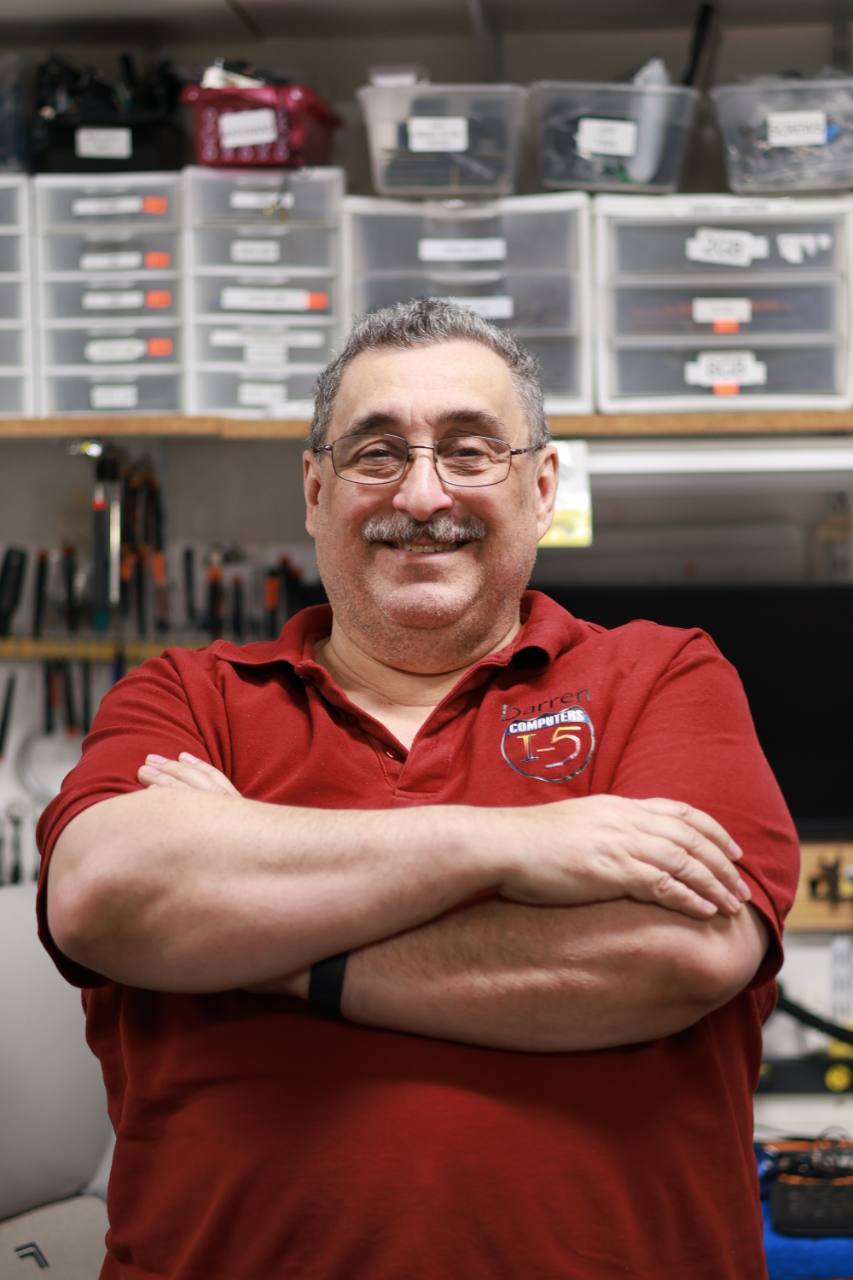
Darren owns i-5 Computers and has served Vancouver-area computer owners since April 2009. His documented experience includes gaming PC troubleshooting and upgrades, custom computer builds, GPU and performance upgrades, cooling problems, and difficult hardware diagnostics.
At the D Street shop, the goal is to identify the actual constraint or failure—not automatically sell the most expensive component. Darren explains whether repair, a targeted upgrade, or a new custom PC is the more practical fit for your goals and budget.
Meet Darren and see the local repair workshop.
1801 D St #6, Vancouver, WA 98663Repair, Upgrade, or Build
Gaming PC Repair FAQs
Yes. i-5 Computers works with custom-built systems as well as gaming PCs assembled elsewhere. Bring notes about the components, recent changes, reused parts, BIOS settings, and the exact steps that reproduce the failure.
Games can place simultaneous load on the GPU, CPU, memory, storage, cooling, and power supply. Drivers, game files, overlays, settings, and other software can also be involved. Testing is needed before identifying a failed part.
Cost depends on the diagnostic time, failed component, compatible replacement, existing build, software or data work, and verification required. Darren explains the findings and estimate before approved repair work proceeds.
Timing depends on whether the failure can be reproduced, the tests needed, part availability, the repair selected, and how long the original problem must be checked afterward. Intermittent crashes can take longer to isolate.
That depends on the failed part, platform age, compatibility, condition of the other components, performance target, and total cost. Darren can compare a focused repair or upgrade with the value of a new custom build.
Bring the tower and a clear description of the failure. Ask whether the power cord, monitor, display cable, controller, or another affected accessory is needed. Include error messages, game names, component changes, and any settings that make the issue appear.
Gaming PC Repair · Vancouver, WA
Tell Darren which games or workloads fail, when the problem appears, and what changed beforehand. i-5 Computers will test the likely causes and explain the practical next step.
Helpful Next Step
Gaming PC repair should reproduce crashes under load and check cooling, power delivery, graphics drivers, RAM, storage, and overclocking stability. Temperature readings and exact error messages help narrow the failure.