
Will Not Start or Finish Booting
The Mac is unresponsive, stalls at the Apple logo, restarts repeatedly, shows a question-mark folder, or never reaches the desktop.
Mac & MacBook Repair · Vancouver, WA
Mac repair at i-5 Computers includes local diagnosis for MacBook and iMac startup, macOS, storage, battery, display, keyboard, charging, overheating, and performance problems. Darren Moline identifies the likely cause, explains model-specific options, and helps you decide whether repair, data-focused service, an upgrade, or replacement makes sense.
Start With What the Mac Is Doing
The same symptom can come from hardware, software, power, storage, or an accessory. Bring the exact Mac and describe when the behavior began.
The Mac is unresponsive, stalls at the Apple logo, restarts repeatedly, shows a question-mark folder, or never reaches the desktop.
A MacBook will not charge, loses power quickly, shuts down unexpectedly, or shows physical swelling around the case or trackpad.
The built-in screen is damaged, dim, lined, distorted, black, or changes as the lid moves.
Apps take too long to open, the pointer repeatedly spins, startup drags, or the Mac struggles with normal work.
The Mac runs unusually hot, fans remain loud, speed falls during demanding tasks, or the computer turns off.
Updates fail, applications crash, storage fills unexpectedly, Wi-Fi drops, or system settings no longer behave normally.
Symptoms Need Context
A model identifier, failure history, and focused tests are more reliable than ordering a part from the symptom alone.
These examples explain why diagnosis comes first. They do not establish what failed in a specific Mac without an inspection.
Firsthand Workshop Process
The checks depend on the complaint and model. Darren connects the symptom to evidence before recommending a repair or software change.
Identify the Mac, review its configuration and age, and note previous damage, repairs, updates, or symptoms that affect the available options.
Review boot behavior, recovery options, updates, system files, settings, and application behavior when software or startup is involved.
Look for drive or file-system warning signs and separate a data problem from a broader startup or hardware failure.
Assess charging behavior, power response, battery condition, adapter or cable involvement, and symptoms linked to internal power.
Distinguish a failed assembly or cable from a settings, graphics, power, swelling, liquid, or connection problem.
Compare temperatures, fan behavior, storage, memory pressure, background activity, and realistic model-specific upgrade options.
Model-Specific Mac Help
Available repairs and upgrades vary substantially across Mac generations. The exact model, construction, condition, parts, and software support determine the practical path.
Portable Macs with startup, battery, charging, display, keyboard, trackpad, storage, heat, or macOS concerns.
Desktop Mac systems with no-start, display-output, storage, slow-performance, cooling, peripheral, or operating-system symptoms.
Serviceability depends on the exact Mac, component integration, compatible parts, macOS support, condition, and whether the work is practical.
A Clear Diagnostic Path
Share what the Mac does, when it began, recent updates or damage, error text, and whether important data is involved.
Darren confirms the model and examines the hardware, macOS, storage, power, or thermal systems most relevant to the problem.
You receive a plain-English explanation of likely cause, model-specific limitations, data considerations, options, and estimate.
Approved work is completed and the functions connected to the original problem are checked before pickup.
Honest Expectations
There is no responsible fixed quote for every Mac with the same symptom. Diagnosis, model design, parts, data risk, and the work required all shape the estimate and turnaround.
Construction, component integration, access, supported software, and compatible parts differ across Mac generations.
A software setting, damaged cable, failed assembly, storage problem, liquid damage, and board-related fault require very different work.
Model-specific screens, batteries, keyboards, fans, cables, storage, and other components can have different prices and lead times.
Backup status, failing storage, FileVault, inaccessible accounts, and recovery needs can change the safest order of work.
Updates, system repair, installation, migration, application conflicts, and final setup involve different time than a focused hardware replacement.
Intermittent startup, charging, heat, sleep, display, or performance problems may need longer observation than a consistently repeatable fault.
Mac Help From a Local Technician
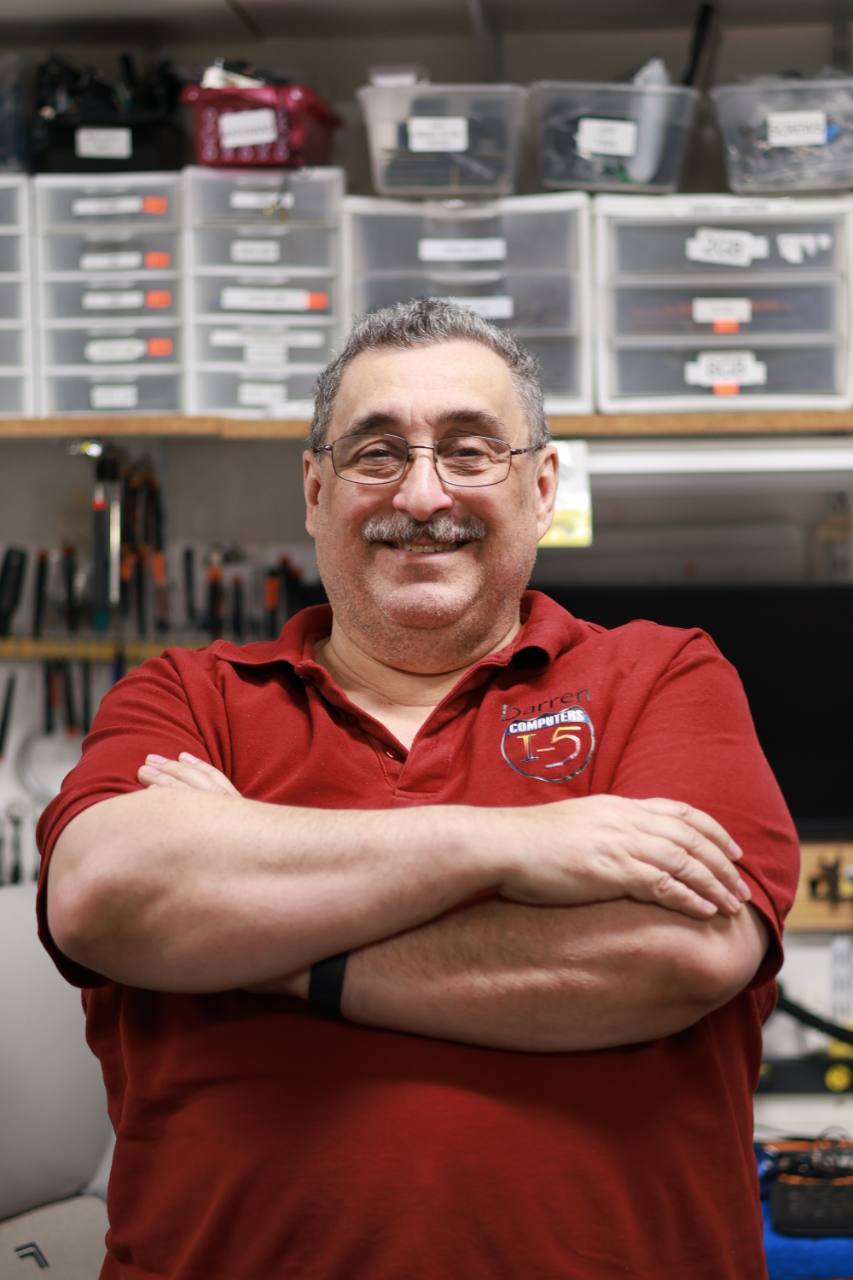
Darren owns and operates i-5 Computers and has served Vancouver and Clark County computer owners since April 2009. Mac repair is part of the hands-on work described on his technician profile, alongside laptop repair, hardware diagnostics, data recovery, upgrades, and operating-system problems.
The goal is not to assume the most expensive failure. Darren listens, tests the likely causes, explains what the model allows, and helps you compare repair with the Mac’s age, condition, value, and data needs.
1801 D St #6, Vancouver, WA 98663Related Mac Services
Mac Repair FAQs
i-5 Computers can evaluate MacBook laptops and desktop Macs. Available repairs and upgrades depend on the exact model, age, construction, compatible parts, software support, and failure.
Cost depends on the diagnosis, exact model, parts, disassembly, damage, data needs, and work involved. Darren explains the findings and estimate after evaluation and before approved work proceeds.
Timing depends on whether the symptom is repeatable, the repair required, part availability, data or macOS work, and final checks. The likely timeline can be discussed after the Mac and failure are identified.
Many hardware repairs do not require erasing storage, but no repair is risk-free. Storage failure, macOS installation, encryption, or migration can change the data considerations. Keep a current backup when possible and identify irreplaceable files before service.
That depends on the Mac’s age, overall condition, software support, repair cost, available parts, expected performance, and how well it still meets your needs. Darren can explain the practical tradeoffs after diagnosis.
Bring the complete MacBook and its correct power adapter. Include any adapter, cable, display, or accessory involved in the symptom, and note error messages, recent updates, damage, and important data concerns.
Mac & MacBook Repair · Vancouver, WA
Bring the MacBook and its power adapter, or call with the Mac model and symptoms. Darren will identify the next useful diagnostic step and explain the available options.
Helpful Next Step
Mac repair for startup failures, liquid exposure, battery problems, and storage errors can follow different paths. Back up the Mac when possible and check its Apple warranty or AppleCare status before authorizing outside service.